Chat and files
Arabic and English conversations with streaming replies. Attach images, PDFs and Word documents to ask about them.
 MoOS
Signed release · ISO download available
MoOSMoOS is a desktop operating system with MoOS UI and KDE Plasma 6: a truly Arabic interface, signed updates you can roll back, Linux apps with Android and Windows when you need them, and an AI assistant called Mira living inside the system.
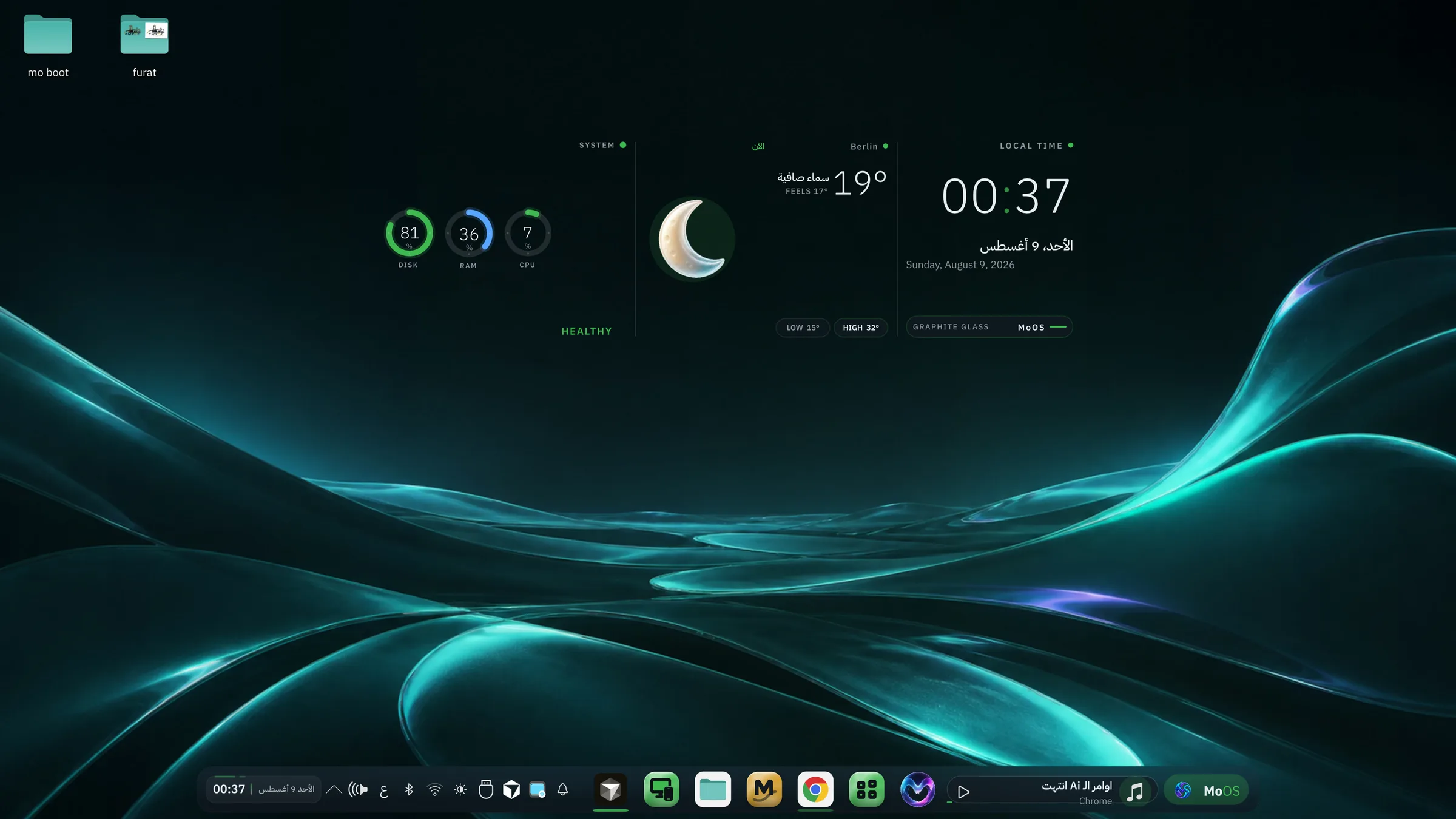
The real MoOS desktop — time, weather and machine health in Arabic
The film
A real walkthrough on my channel: the desktop, the Arabic launcher, the apps and the assistant.
The assistant
Mira is the assistant built into MoOS: a living face, Arabic and English chat, voice, and tools for your computer and home. Follow actions in the interface and approve changes when permission is needed.
Arabic and English conversations with streaming replies. Attach images, PDFs and Word documents to ask about them.
Talk through your computer microphone or a configured Echo. Her face and listening, thinking and speaking states follow the conversation; motion depends on your hardware and settings.
Find and open apps, check your machine, update MoOS and repair audio through defined actions, with results tracked inside Mira.
Control connected lights and devices through Home Assistant after setup, use Lumen lighting scenes, and see which devices are available.
Research with sources, reminders and timers, file opening, and tracked project tasks in the Workbench after configuring its agent.
Sensitive system changes wait for the owner. Screen viewing is optional and off by default; replies use the configured cloud provider.
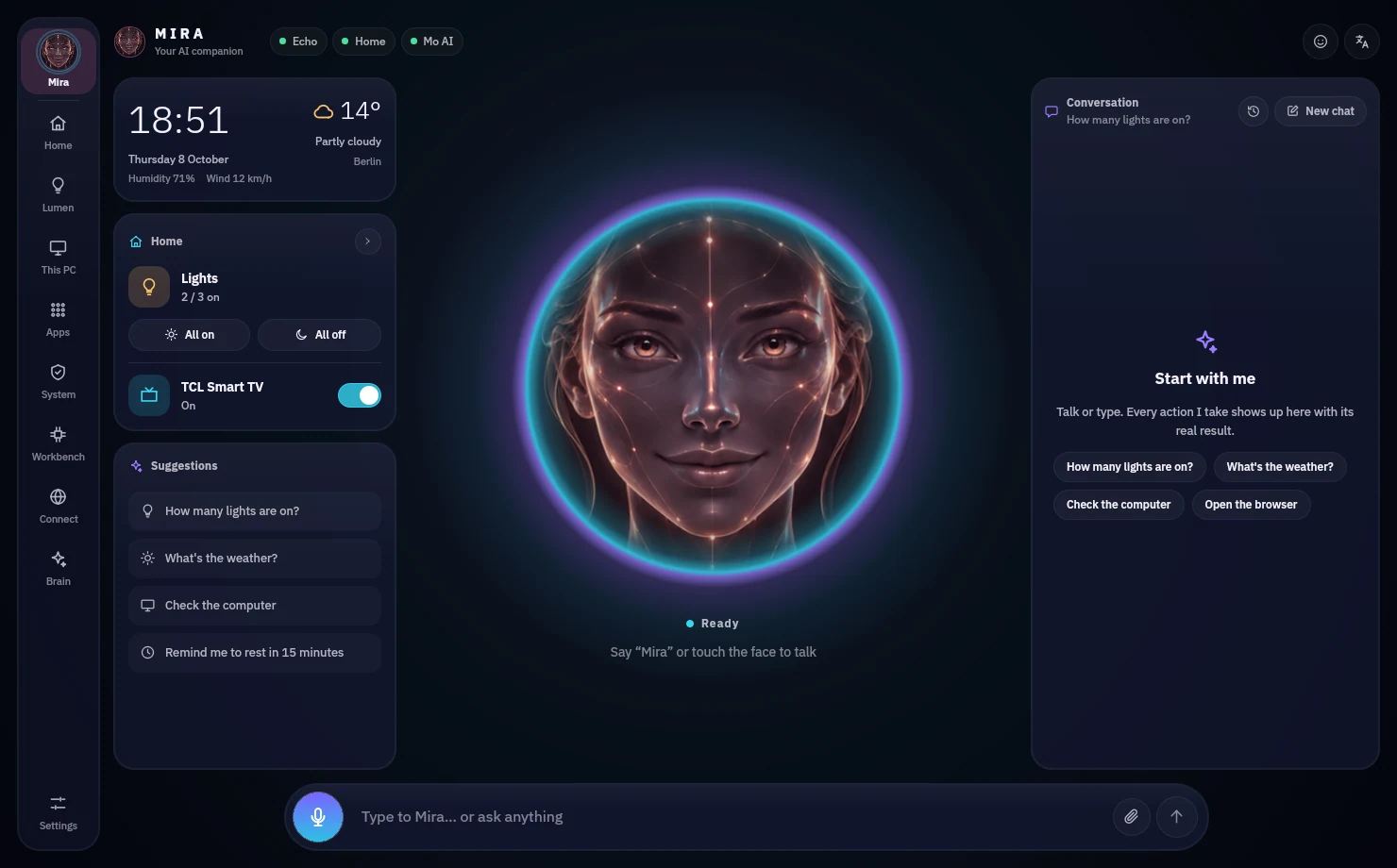
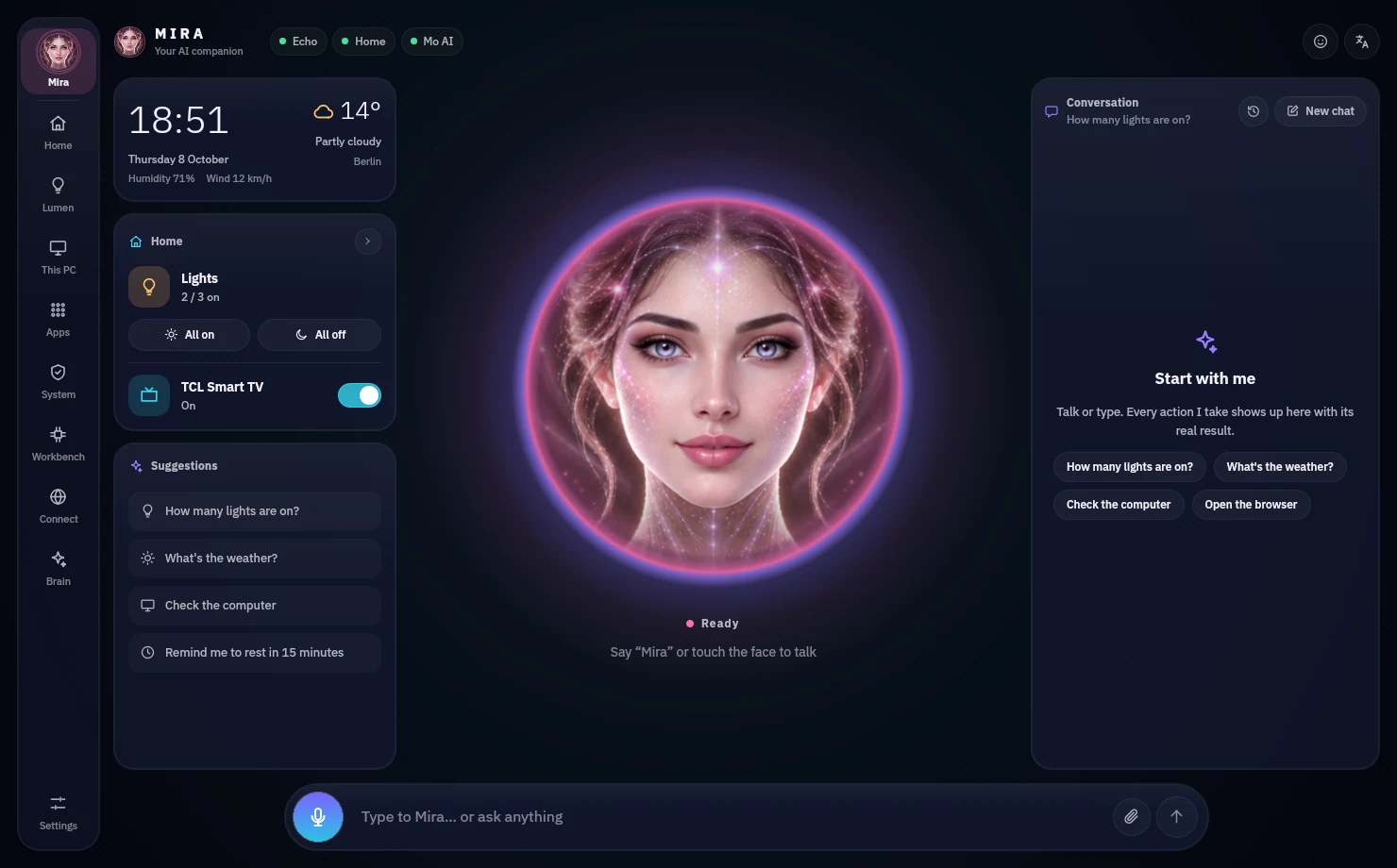
Real captures of Mira’s interface in MoOS, shown with illustrative demo data.
Cloud conversations need internet access and provider setup. Voice, home and phone features need their configuration and devices. Choose the holographic or rose face inside Mira.
Arabic from the root
The launcher, search, app names, dates, weather and the direction of the interface itself are Arabic inside the system, not a translation layer on top. Switch to English in one click.
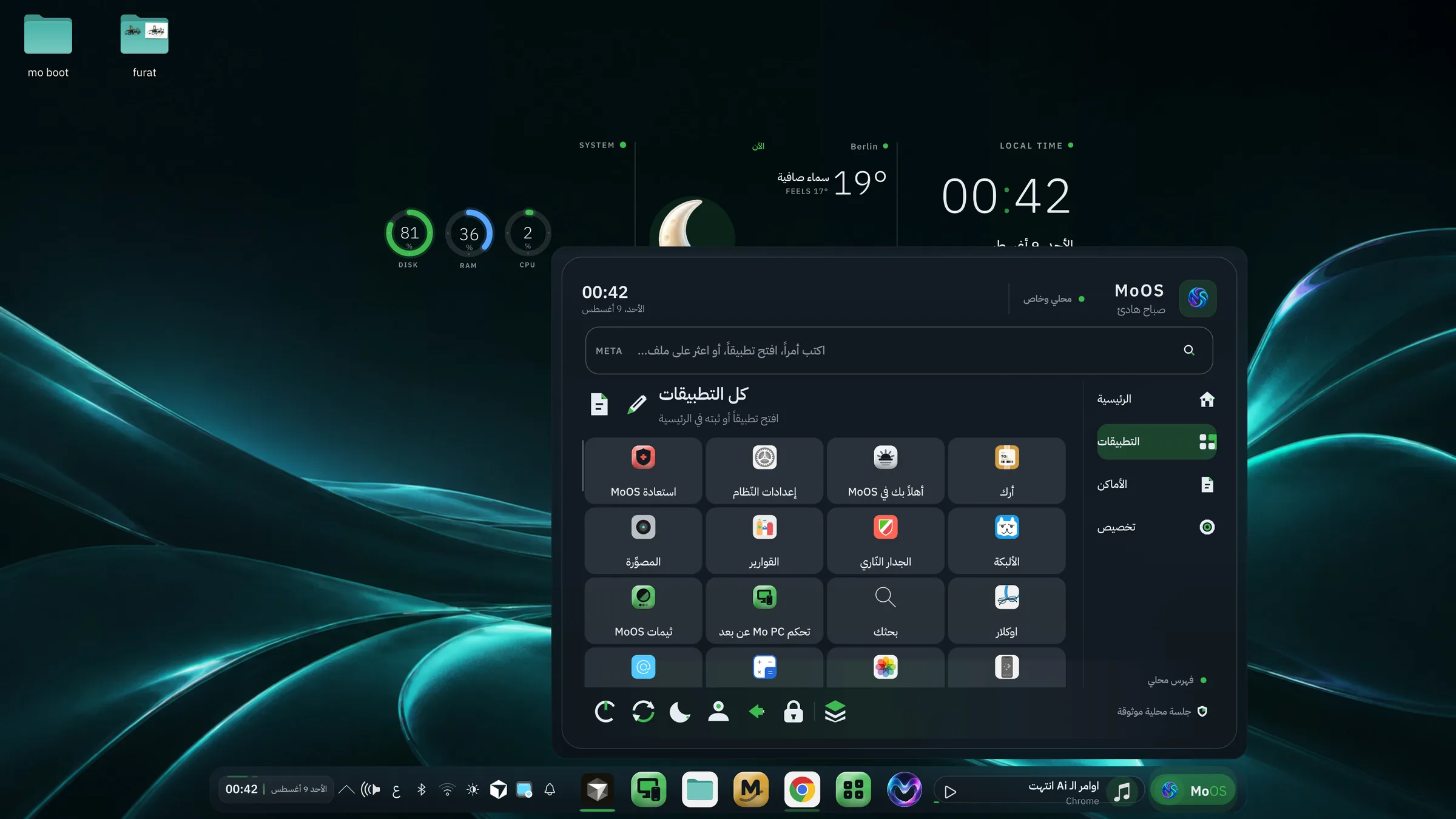
The MoOS launcher in Arabic — a screenshot from the system
Three worlds
Sandboxed Flatpak apps from Flathub and the MoOS store, with clear updates.
Through Waydroid in a container. First setup downloads about 1GB, without Google Play by default.
Through Bottles and Wine in an isolated environment. Compatibility varies by program.
Where it is now
MoOS runs daily on my own machine, and every image is built and signed automatically. Here is what is done and what is left before the public release — honestly.
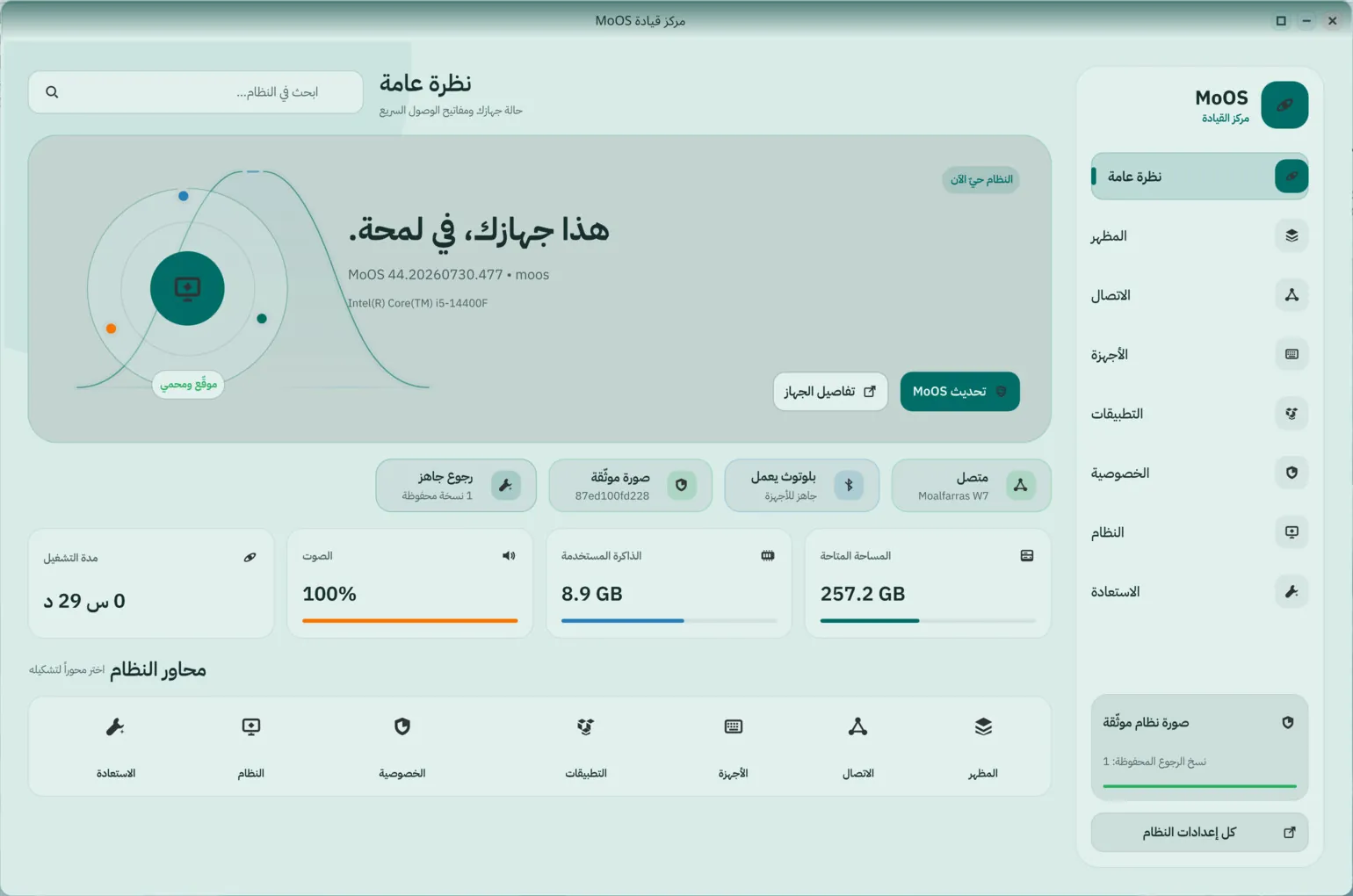
MoOS command centre — build version, rollback point and machine health
Latest published image14 October 2026
Atomic updates
An update arrives as a signed image and applies after reboot; the previous version stays on disk.
The installed system refuses any update not signed with the MoOS key.
moai-do updateOne command — or one boot-menu entry — and you are back where you were.
sudo bootc rollback && sudo systemctl rebootSystem personality
Wallpaper, windows, icons and lock screen change together in one click.












Download
For a new desktop installation, use the verified ISO or consult the guide for your edition. Update an existing MoOS computer in System Settings → Updates.
For Intel, AMD and open-driver machines.
Download ISOThe same desktop with the open NVIDIA driver built in.
Installation guideFor x86-64 cloud machines: SSH-first, no games layer, the desktop in your browser.
Installation guideNative ARM64 for Oracle A1 and supported virtual machines, using QCOW2/UTM artifacts separate from the x86 ISO.
Installation guideEvery release is signed — confirm the image really came from MoOS before installing:
cosign verify --key https://raw.githubusercontent.com/moalfarras-sys/moos-image/1b947c21e6b3846f8eeaa73e2b75a6221dd172ac/cosign.pub ghcr.io/moalfarras-sys/moos:latestAn x86-64 desktop ISO for Intel/AMD UEFI PCs, proven through boot and offline installation. Verify its SHA-256 and signature before writing the USB. Recommended: 16 GB RAM, 4 CPU cores and a 256 GB SSD; these are sizing recommendations, not universal hardware guarantees.
Download ISOOfficial SHA-25637053a88ae313f994875794055035d53134206a88eb44fb160b39fef3bb04821The source is open and the signing key is public. Choose the right edition and verify the file before installing.